React App
Pada praktikum kali ini kita akan dockerize React App
- Membuat folder baru pada
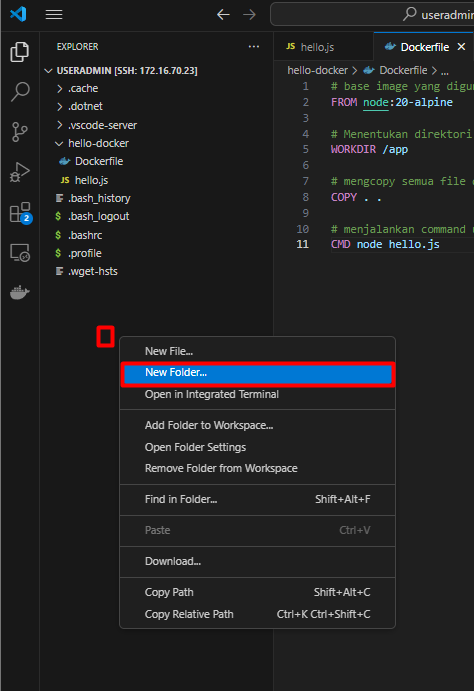
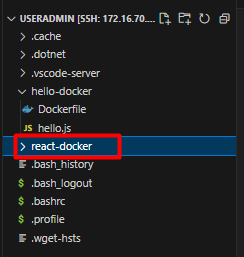
homefolderuser yang digunakan untuk SSH. klik kanan ditempat kosong kemudianNew Folder. Buat folder dengan namareact-docker.
- Membuat project baru
React JS. Karena di server kita belum diinstallNodeJSmaka untuk membuat projectReactkita bisa memanfaatkan container / imagehello-dockeryang didalamnya terdapatNodeJS. Kita juga akan memanfaatkanvolumesehingga hasil pembuatan projectnya akan kita arahkan ke folderreact-folderyang telah kita buat sebelumnya.Dengan command ini otomatis akan menjalankanroot@debianMaster:/home/useradmin# docker run -it -v /home/useradmin/react-docker:/app/react-docker hello-docker npm create vite@latest react-dockernpm create ...didalam container yang kita jalankan. kemudian nanti akan ada muncul pilihan sesuaikan seperti dibawah ini
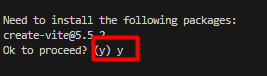
Untukframeworkpilihreactdan untukvariantpilihTypeScript. Tunggu hingga prosesnya selesai. - Cek apakah
react-dockersudah terbuat didalamhost volumekita
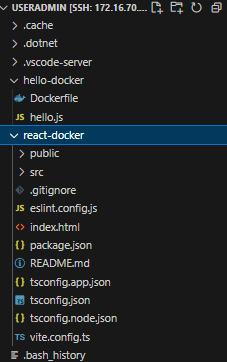
Terlihat folderreact-dockerkita telah terisi dengan projectreactyang tadi telah kita buat. - Membuat
Dockerfiledidalam folderreact-docker# set the base image to create the image for react app FROM node:20-alpine # create a user with permissions to run the app # -S -> create a system user # -G -> add the user to a group # This is done to avoid running the app as root # If the app is run as root, any vulnerability in the app can be exploited to gain access to the host system # It's a good practice to run the app as a non-root user RUN addgroup app && adduser -S -G app app # set the user to run the app USER app # set the working directory to /app WORKDIR /app # copy package.json and package-lock.json to the working directory # This is done before copying the rest of the files to take advantage of Docker’s cache # If the package.json and package-lock.json files haven’t changed, Docker will use the cached dependencies COPY package*.json ./ # sometimes the ownership of the files in the working directory is changed to root # and thus the app can't access the files and throws an error -> EACCES: permission denied # to avoid this, change the ownership of the files to the root user USER root # change the ownership of the /app directory to the app user # chown -R <user>:<group> <directory> # chown command changes the user and/or group ownership of for given file. RUN chown -R app:app . # change the user back to the app user USER app # install dependencies RUN npm install # copy the rest of the files to the working directory COPY . . # expose port 5173 to tell Docker that the container listens on the specified network ports at runtime EXPOSE 5173 # command to run the app CMD npm run dev - Membuat file
.dockerignoredidalam folderreact-docker. File ini berguna untuk tidak menghiraukan sebuahfileataufolderagar tidak tersimpan kedalamdocker image, sehingga size daridocker imagetersebut tidak terlalu besar. -
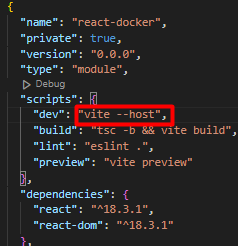
Edit file
package.json. Konfigurasi ini dilakukan agarappnya bisa diakses dari luar container.
-
Build image
react-dockermenggunakandockerfileyang telah kita buat sebelumnya. Kerjakan diterminalvscode
Sesuaikan folderroot@debianMaster:/home/useradmin# cd /home/useradmin/react-docker root@debianMaster:/home/useradmin/react-docker# docker build -t react-docker .react-dockerkalian yang ada diserver. -
Verifikasi apakah
imageberhasil dibuild
-
Jalankan
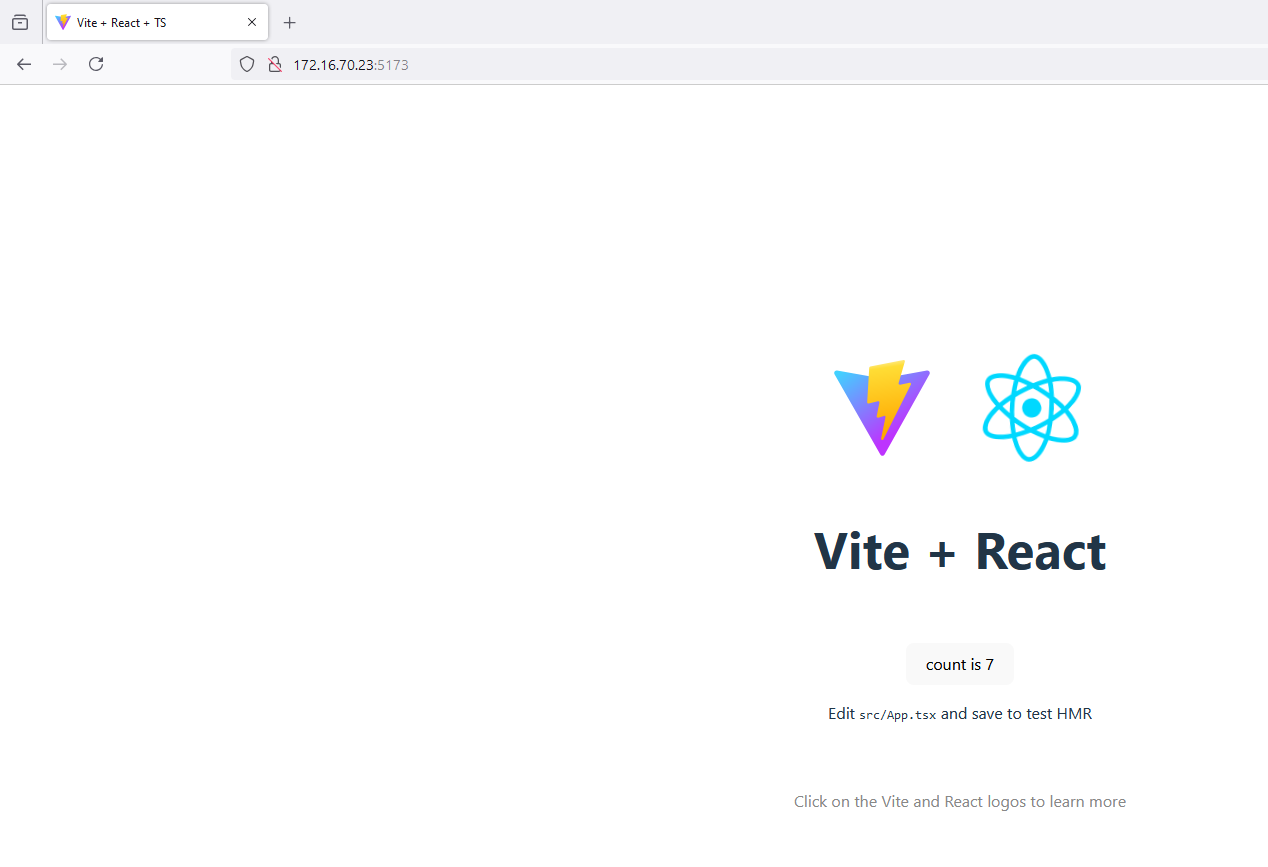
docker containerdengan menggunakanimageyang telah kita buat sebelumnya - akses ipaddres_server:5173 di browser